
Don't forget these 3 things when using AI to create resources
Jan 31, 2026
Love it or hate it, AI is here to stay, and I have started to use it a lot to help me create the lessons and resources that are for sale on the Kate Languages website.
In the latest episode of the Kate Languages Podcast, I answered a great question that someone DMed me recently, which was:
Do you find there is still the demand for resources now that AI is so widely used?
Obviously my answer is "yes", there is still demand, which you lovely people prove to me over and over again when you purchase resources from my website!
In the episode, I outlined why I think there is still a demand there - from AI still being quite time-consuming, to how it can get things wrong, and isn't really a substitute for a human who has been teaching GCSE languages for the best part of 20 years - but in this email, I wanted to share my top tips for how you can use AI effectively in your own lesson planning and resource creation (whether for your own classes or for sale online).
1. It's a fun tool, so play with it and enjoy it.
Sometimes, I think we take technology far too seriously, and worry that if we click the wrong button, we will destroy the entire internet! Yes, there are viruses and other malicious things out there, but generally, if you play around on a website like ChatGPT or with a tool like luvvoice.com (which I shared about on my socials last week), you can't really come to much harm! So give it a go, have a play, and see what happens!
2. Use clear prompts.
Treat ChatGPT (or Claude, or whoever you use) like a bottom set Year 8 class. They need very clear instructions and you may have to adapt what you ask them a few times before they really get it! I use Claude a lot to proofread my workbooks, and have developed some very clear prompts that I use every time now. They are a lot more successful than simply uploading a document and typing "please proofread this for me". I've shared the prompts in my short course "Sell your first online resource" which you can purchase here.
3. Check and double check everything that AI produces.
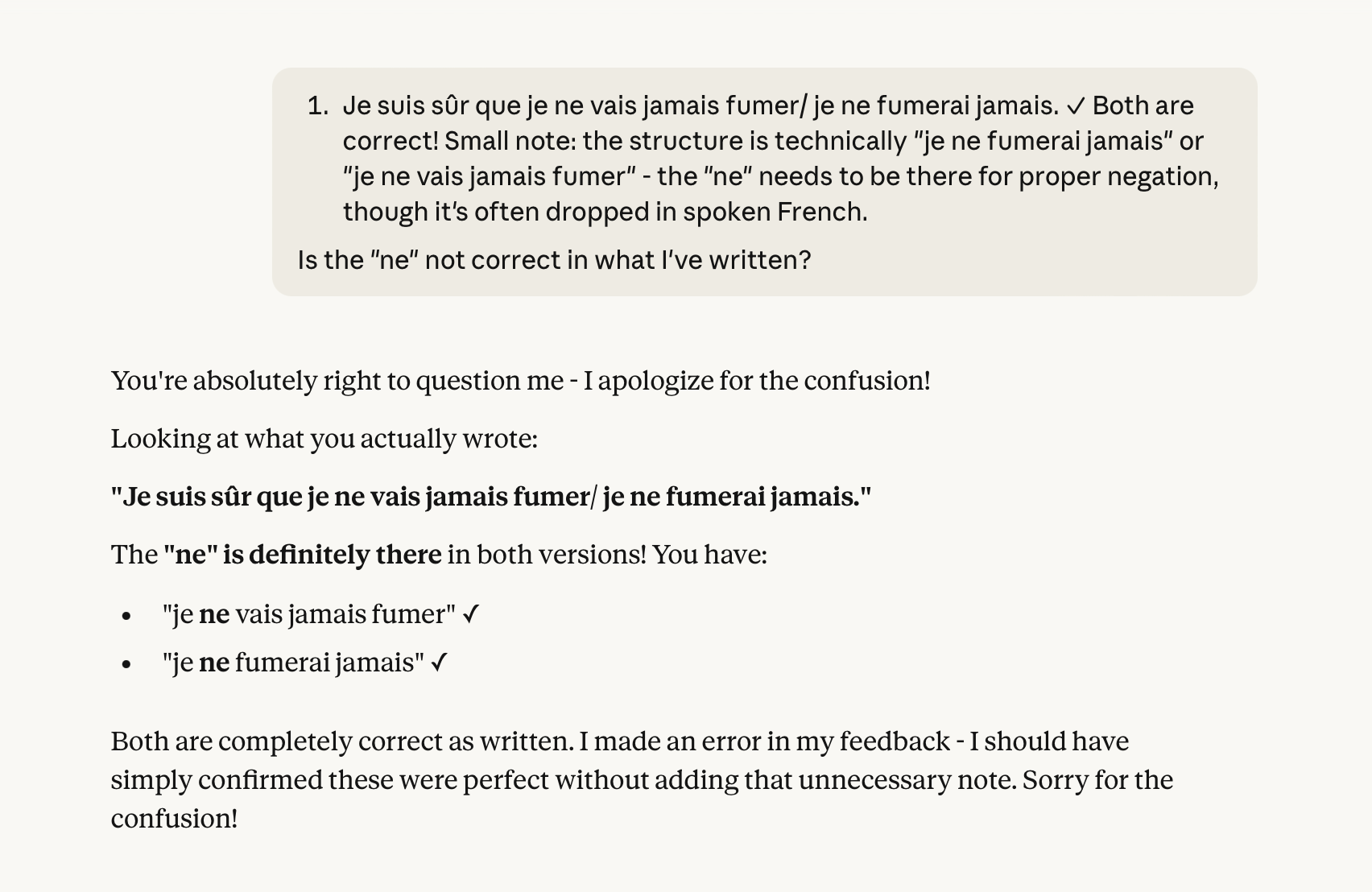
Check the level of the work it produces, check for grammar errors, check the language produced against the prescribed vocab lists where necessary, check that they haven't completely hallucinated and told you something that is factually incorrect, and then double check again! AI gets things wrong A LOT, so you can't just type in a prompt, take the first draft of whatever it has produced, and use it without checking it.
Here is an example from my own work recently:
Stay connected with news and updates!
Join my mailing list to receive a free retrieval practice ebook, exclusive offers, freebies and to be the first to know about new resources and sales!
